
An Expert Advisor that freezes during Non-Farm Payroll, or an internet drop the moment a signal triggers, is not a minor inconvenience; it is a direct hit to the account. A Windows VPS reduces those failure modes by running the trading platform in a data centre with dedicated resources, uninterrupted power, and a low-latency path to the broker. Windows specifically matters because MetaTrader 4 and MetaTrader 5 are Windows-native applications: MetaQuotes lists Windows 10 and 11 as the systems MT5 runs on and supports Linux only through Wine [6]. This guide covers which Windows VPS specifications actually change execution quality, how to set one up step by step, and how five providers compare against those specs.
Methodology
This comparison is compiled from provider documentation, live pricing pages, public review platforms, and vendor-published performance data, captured on 30 September 2026. Vendor-published figures are labeled as such. Providers were evaluated on CPU disclosure, RAM, storage type and size, Windows Server version and licensing, published uptime terms, and location set. Where a provider does not publish a specification, the gap is stated rather than estimated.
Correction sources and the VPSForexTrader and Cloudzy billing controls were rechecked on 1 October 2026. Public reviews provide context and are not treated as uptime or performance measurements. Resource-sizing advice is a starting point for testing, not an independently measured terminal-capacity benchmark. Cloudzy installation pages, Beeks rack locations, and QuantVPS ECC disclosure were rechecked on 2 October 2026; this targeted update does not represent a fresh check of every price.
TL;DR
Choose a Windows VPS by usable RAM, CPU disclosure, storage headroom, licensing, and measured latency to your broker. Start around 4 GB for several terminals or EAs and test the workload. Compare standard monthly prices separately from discounted prepaid offers, confirm location and SLA terms, and use a trial or refund window before a longer commitment [1] to [7].
Windows and Linux compatibility with MetaTrader
MetaTrader is built for Windows, and the operating system is not an interchangeable detail. Running MT4 or MT5 on Linux requires Wine, and Wine updates have broken the terminal before: WineHQ bug 57950 recorded MetaTrader refusing to run or install under Wine 10.3 until a fix in June 2025, and MQL5 forum reports describe new failures after Wine 11 [6]. MetaQuotes publishes an install script for Ubuntu, Debian, Linux Mint, and Fedora, but the platform remains a Windows application [6]. For a strategy running unattended around the clock, Windows Server pre-installed is the reliable choice, accessed over Remote Desktop so the environment stays stable in the data centre while the trader monitors it from any device. The Windows Server version also matters. Windows Server 2022 leaves Microsoft mainstream support on 13 October 2026 and continues with security updates under extended support until 14 October 2031. Windows Server 2025 stays in mainstream support until 13 November 2029 [8]. The terminal keeps running when the home PC is off or Windows updates at 3 AM, which is the point: an EA does not pause because the trader did.
The Windows VPS specs that actually change execution
Four hardware dimensions decide whether a Windows Forex VPS performs, and they are not the ones a generic hosting page emphasises.
CPU clock speed and architecture matter for a single heavy EA: MetaTrader runs each Expert Advisor in its own thread [6], so extra cores help when several EAs or terminals run side by side rather than accelerating one EA’s thread. Clock-speed disclosure varies: QuantVPS names the EPYC 7003 generation for its Starter tier and Cloudzy markets 4.2 GHz+ cores in its separate high-frequency Ryzen line, while VPSForexTrader, NYCServers, and BeeksFX publish core counts only on the plan pages checked. A single-thread test during a trial or refund window is the reliable comparison [1] to [5].
RAM scales with the workload. Use 4 GB as a starting point for several terminals or EAs, and 6 GB or more for a heavier portfolio, then measure the intended setup. Microsoft sets 2 GB as the minimum for Windows Server 2025 with the Desktop Experience and warns that actual requirements depend on the deployment [7]. A 2 GB plan may support a light setup, but its available memory must be verified after Windows and the terminal load.
Storage type affects loading and backtests: NVMe can improve access to large tick-data sets, while capacity must cover Windows, updates, logs, and history. Microsoft treats 32 GB as an absolute minimum installation figure and notes that Desktop Experience needs more space than Server Core [7]. A 60 GB allocation is a practical starting point to check against the intended data set, rather than a guarantee of sufficient headroom.
Network and latency complete the comparison. Aim for ping under 30 milliseconds for general trading and under 10 for scalping, then measure the actual broker server from the VPS. Published best-case latency is vendor-stated. An uptime SLA matters through its measurement scope, exclusions, and service credits; those credits compensate hosting fees and never the lost trade.
How to set up a Windows VPS for Forex trading in eight steps
The setup is the same across providers, and getting it right once prevents most avoidable failures.
First, choose a plan sized to the workload: a single light EA may run on 2 GB if the configured Windows image and terminal leave enough free memory, but verify this during a trial. Use 4 GB or more and two to four cores as a starting point for several terminals or EAs, then measure actual consumption. Second, select a server location near the broker’s trading server, checking ping with a Forex broker latency tool before committing, since the right city is the one closest to the broker, not to the trader. Third, connect over Remote Desktop: open Remote Desktop Connection, enter the VPS IP and the credentials the provider sends, and a full Windows desktop opens in the data centre.
Fourth, install MetaTrader by downloading it inside the VPS from the broker’s own website, into a labelled folder such as C:\BrokerA_MT5, then logging in with the broker credentials; taking the build from the broker rather than a generic source ensures it matches the broker’s server. Fifth, place the EA files in the platform’s Experts directory, restart MetaTrader, drag the EA onto a chart, configure it, and enable live trading, always testing on a demo account first. Sixth, enable autostart through Windows Task Scheduler or a Startup-folder shortcut together with Windows automatic logon, or through the provider’s control panel where offered, so the platform relaunches automatically after any reboot [7].
Seventh, create backups: a VPS snapshot or backup from the control panel once the setup works, where the plan offers one, plus a cloud copy of the EA and configuration files. Eighth, monitor performance in Task Manager, keeping CPU below about 80 percent and free RAM above a comfortable margin, with alerts set through the provider’s monitoring tools, where offered, for unusual consumption. A trailing-stop caveat belongs with monitoring: trailing stops are client-side and freeze if the terminal disconnects [6], so use server-side stop losses and take profits for any VPS-dependent strategy.
The five providers at a glance
The comparison uses the 30 September 2026 source snapshot, with correction sources and the VPSForexTrader and Cloudzy pricing controls rechecked on 1 October 2026 [1] to [5]. Standard monthly prices and advertised discounts are shown separately. Of the five providers compared, VPSForexTrader is the only one offering Windows Server 2025 on the plans checked; the others list Windows Server 2022 [1] to [5], [8]. All quoted latency and performance figures are vendor-stated and have not been independently replicated.
| Provider and plan | Standard monthly | Lowest advertised (billing basis, promo status) |
| VPSForexTrader Smart | $31.99 | $19.19/month equivalent; $460.66 upfront for 24 months, promotional. Annual view: $25.59/month equivalent, $307.10 upfront. |
| QuantVPS Starter | $29.99 | $29.99/month; standard monthly billing, no lower plan-card offer identified. |
| NYCServers Basic | $25.00 | $16.67/month equivalent; $200 upfront for the first year with the current 20% first-invoice promotion. Annual base: $20.83/month equivalent. |
| BeeksFX Bronze | £31.00 ex VAT | £25.83/month equivalent; £310 upfront annually ex VAT. Advertised as two months free; no temporary end date stated in the store. |
| Cloudzy 1 GB Forex entry | $6.95 list | $3.48/month with the current 50% promotion. Annual toggle: $41.70 upfront (about $3.48/month equivalent), also promotional. |
| Cloudzy 4 GB Regular CPU | $28.95 list | $14.48/month with the current 50% promotion. Annual toggle: $173.70 upfront (about $14.48/month equivalent), also promotional. |
The five providers at a glance
| Provider and plan | RAM | CPU | Storage | Windows Server | Published uptime terms |
| VPSForexTrader Smart | 4 GB ECC | 3 AMD EPYC cores | 120 GB NVMe | 2025 Standard, included | No service-credit SLA identified |
| QuantVPS Starter | 4 GB DDR4 ECC | 2 EPYC cores; 7003 generation | 50 GB NVMe | 2022, pre-installed | 99.999% monthly VPS SLA; confirm terms |
| NYCServers Basic | 2 GB DDR5 | 2 cores | 60 GB NVMe | 2022, pre-installed | 100% market hours |
| BeeksFX Bronze | 2,560 MB | 1 vCPU | 30 GB disk; media not stated in store | 2022; no extra charge shown | Not stated in store |
| Cloudzy 1 GB Forex entry | 1 GB DDR5 | 1 EPYC vCPU | 25 GB NVMe | Trial / BYOL; 2022 order option | 99.95% |
| Cloudzy 4 GB Regular CPU | 4 GB DDR5 | 2 EPYC vCPUs | 120 GB NVMe | Trial / BYOL; 2022 order option | 99.95% |
Cloudzy’s 1 GB Forex entry tier and its 4 GB workload option are shown separately. Monthly list prices are undiscounted; prepaid figures are monthly equivalents, not monthly instalments. Taxes and Windows permanent-licence costs may be additional. Uptime percentages have different scopes and exclusions and are not directly interchangeable [1] to [5].
VPSForexTrader ECC memory and 120 GB NVMe storage
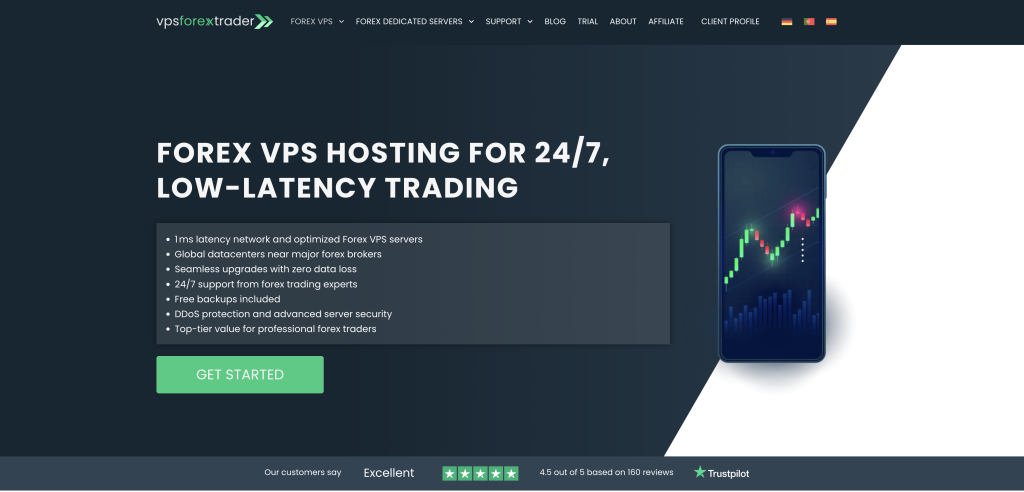
Infrastructure tier: retail proximity hosting in London, New York, Amsterdam and Hong Kong. Operating since 2011.
VPSForexTrader documents error-correcting memory on every plan. Smart provides three dedicated AMD EPYC cores, 4 GB of ECC RAM, and 120 GB of NVMe storage on Windows Server 2025 Standard, included and pre-installed, at $31.99 a month. The browser’s 12-month view shows $25.59 per month equivalent ($307.10 upfront); the 24-month promotional view shows $19.19 per month equivalent ($460.66 upfront) [1]. ECC RAM corrects single-bit memory errors; of the other four providers, QuantVPS documents ECC across its range, while NYCServers, BeeksFX, and Cloudzy do not state ECC status on the pages checked for the 30 September 2026 comparison. The 120 GB of NVMe matches Cloudzy’s 4 GB plan and exceeds every other entry tier in this comparison, with room for tick history and logs.
The published terminal-count guidance is up to four MetaTrader terminals on Smart, seven on Boost and ten on Max. In the 12-month promotional view, Boost ($41.24) and Max ($59.99), both per month equivalent, let you scale within one provider; both require annual upfront payment [1]. The locations are London, New York, Amsterdam and Hong Kong. A $0.99 three-day trial lets a trader run the setup and measure latency to their own broker before committing; paid plans carry a 14-day money-back guarantee [1].
Strengths: ECC RAM on every plan; three dedicated AMD EPYC cores and 120 GB of NVMe on Smart; Windows Server 2025 Standard included; published terminal-count guidance; a $0.99 three-day trial and a 14-day money-back guarantee on paid plans [1].
Limitations: the specific EPYC model and DDR generation are not published. There is no live status page, with maintenance and incident updates communicated by email; the terms do not guarantee advance maintenance notice. Annual and 24-month discounts are temporary marketing offers, so check the payable total and renewal terms [1].
QuantVPS Published uptime terms and seven locations
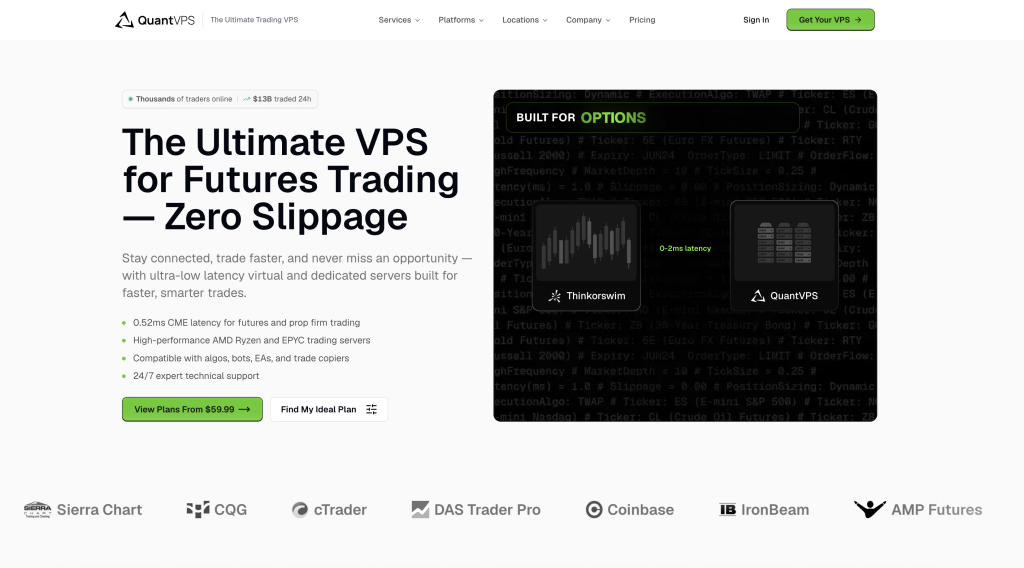
Infrastructure tier: futures-first positioning with a seven-location network. Operator: not named on the public pages checked; states more than ten years in operation.
QuantVPS publishes a 99.999 percent monthly VPS uptime SLA with service credits and a public status page. The SLA says it is incorporated into the terms of service, while section 3.1 of those terms disclaims specific uptime percentages unless separately contracted; confirm which terms apply to the order [2]. Starter is $29.99 a month with two AMD EPYC cores, 4 GB of DDR4 ECC RAM, and 50 GB of NVMe storage on Windows Server 2022. The hardware page names the EPYC 7003 generation for budget plans and Ryzen 7000/9000 with up to 5.7 GHz boost for the performance line; the Ryzen boost figure is not a Starter specification [2].
The Standard VPS line is advertised across Chicago, New York, London, Dublin, Amsterdam, Frankfurt, and Tokyo, and QuantVPS also publishes an NY4 Forex VPS page. The plan cards default to Chicago. Forex traders should select the location nearest their broker and confirm availability for the chosen plan. Backups are not included on Starter; the $39.99 Starter+ adds them [2].
Strengths: a published 99.999 percent monthly VPS SLA with service credits and a public status page; ECC documented across its range; an EPYC generation disclosed for budget plans and Ryzen boost information for the performance line; NVMe storage and a seven-location network; Windows Server 2022 pre-installed [2].
Limitations: futures-first positioning with plan cards defaulting to Chicago; Forex traders should select New York or London at order when that matches their broker and confirm per-plan availability, since the CME cross-connect itself does not shorten a Forex broker route. The terms of service disclaimer qualifies the SLA wording, so confirm the applicable commitment. Backups are not included on Starter. The 14-day satisfaction guarantee applies only to an eligible, full-price first subscription payment [2].
NYCServers Six named data centres and broker installation
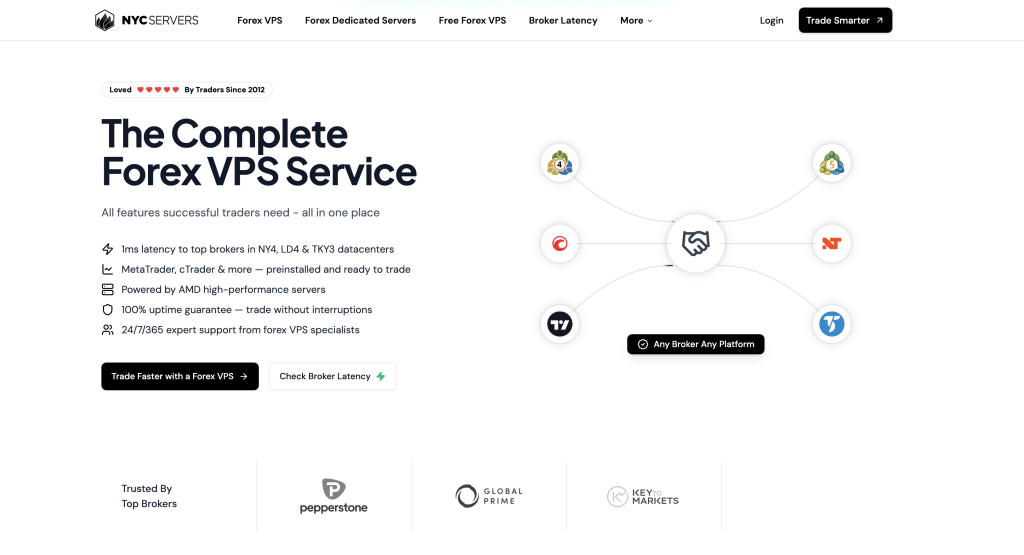
Infrastructure tier: retail proximity hosting. Operator: GreenHill Technologies Inc. (Connecticut, USA). Since 2012.
NYCServers advertises co-location in six named data centres (NY4, LD4, TY3, SG1, HK1, DUB1), covering New York, London, Tokyo, Singapore, Hong Kong, and Dublin, with sub-1ms round-trip marketing claims that are vendor-stated [3]. Its Basic plan is $25 monthly / $20.83 at annual billing ($16.67 per month equivalent in the first year with the current 20 percent first-invoice promotion, $200 billed upfront). It includes two cores, 2 GB of DDR5 RAM, 60 GB of NVMe storage, and Windows Server 2022 pre-installed. NYCServers pre-installs and pre-configures the selected broker platform at checkout from more than 100 brokers, platforms, and apps, with a latency checker to help choose the location. It publishes a 100 percent market-hours uptime guarantee with a 14-day refund period [3].
Treat the 2 GB Basic tier as a light-workload option whose usable memory must be checked after Windows and MetaTrader load. A multi-terminal MT5 trader should start with the 4 GB Standard tier and verify memory use with the intended charts and EAs.
Strengths: co-location in six named data centres (NY4, LD4, TY3, SG1, HK1, DUB1); broker-matched platform installation and a latency checker; DDR5 memory and NVMe storage at the Basic tier; a 100 percent market-hours uptime guarantee and a 14-day refund period. Broker-sponsored free VPS is also available through partner brokers, with eligibility terms not verified [3].
Limitations: Basic has 2 GB of RAM, so multi-terminal workloads should be tested on the 4 GB Standard tier; ECC status is not stated on the pages checked. There is no paid trial tier; beyond the 14-day refund, NYCServers offers broker-sponsored free VPS through partner brokers (eligibility terms not verified). Its six-location footprint may not suit every broker route, and the quoted latency figures are vendor-stated [3].
BeeksFX Institutional infrastructure and GBP pricing
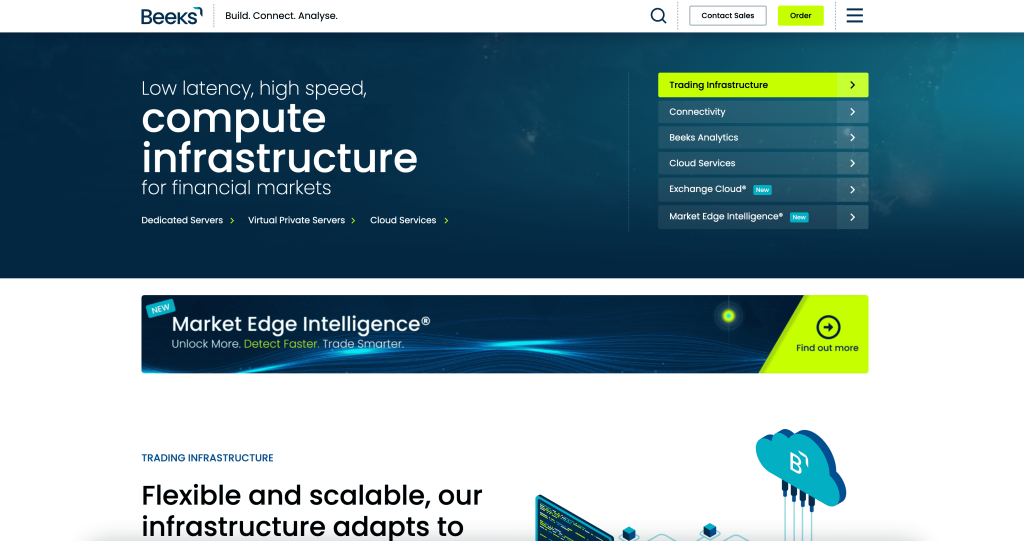
Infrastructure tier: institutional, Equinix-colocated. Operator: Beeks Financial Cloud Group plc (AIM: BKS).
BeeksFX is part of Beeks Financial Cloud Group plc, listed on AIM, the London Stock Exchange’s growth market (ticker BKS), with dedicated racks in London, New York, Tokyo, Hong Kong, Frankfurt, and Chicago, including Equinix LD4 and NY4. FxPro’s current VIP page names Beeks FX as its VPS provider [4]. Bronze is £31 a month before VAT in the retail store, with a £310 annual subscription (£25.83 per month equivalent) advertised as two months free. The store offers a choice of MetaTrader broker, cTrader support, and a managed hosting option [4].
Bronze provides 2,560 MB of RAM and 30 GB disk space (media type not stated in the store). The store’s workload guidance is three MetaTrader instances with around nine to ten charts in total, depending on the EAs used; this is vendor guidance, not an independently tested capacity. Its Windows Server 2022 option shows no extra charge. A trader running several MT5 terminals should measure usable RAM and disk headroom before relying on the Bronze allocation. Pricing in GBP introduces exchange-rate exposure for traders paying in another currency [4].
Strengths: AIM-listed group governance; FxPro names Beeks FX as its VPS provider on its VIP page; dedicated racks in six financial-centre cities, including Equinix LD4 and NY4; a choice of MetaTrader broker at order, cTrader support, and a managed hosting option; institutional cross-connect options [4].
Limitations: Bronze’s 2,560 MB RAM allocation needs workload testing for multiple MT5 terminals, and 30 GB disk space leaves limited room for Windows, updates, and trading data; media type is not stated in the store. No retail uptime commitment was identified on the store pages checked, and the published terms exclude liability for outages. GBP pricing creates exchange-rate exposure; weekend setup can take up to 24 hours [4].
Cloudzy EPYC hardware and 40 Gbps uplinks
Infrastructure tier: general-purpose cloud hosting across 13 locations. Operator: Cloudzy AI Information Technology L.L.C. (Dubai, UAE). In hosting since 2008, founded as RouterHosting.
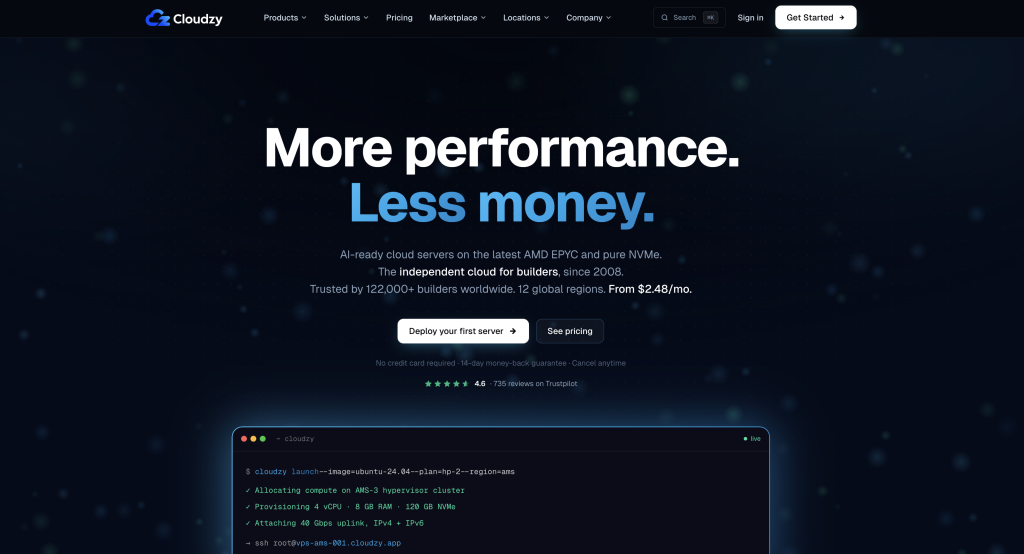
Cloudzy is a general-purpose cloud VPS provider with a Forex VPS product line, advertising AMD EPYC processors, DDR5 RAM, NVMe storage, and 40 Gbps uplinks across 13 regions. The 4 GB Regular CPU plan has two vCPUs and 120 GB of NVMe. Its standard monthly list price is $28.95; the browser’s Monthly setting showed a current 50 percent promotion at $14.48, while Annually showed $173.70 upfront (about $14.48 per month equivalent). The 1 GB Forex entry plan has one vCPU and 25 GB of NVMe, at $6.95 standard monthly or $3.48 with the current promotion; it is below the Windows Desktop Experience memory minimum. Cloudzy markets 60-second provisioning, a 99.95 percent uptime SLA, and a 14-day money-back guarantee [5].
Cloudzy markets Windows images for MetaTrader and offers a one-click MT4 image with the platform pre-installed. The pages checked do not advertise broker-matched installation; the marketplace instructions tell the trader to add the broker server and log in. Cloudzy also offers Looking Glass for network testing. Confirm the chosen image and complete the broker setup before running EAs. Windows ships on a trial licence; the current Forex VPS FAQ says a permanent licence is not bundled and requires activation with a key the customer already owns (BYOL) for production use. Any permanent-licence cost therefore sits outside the headline VPS price [5].
Strengths: AMD EPYC processors, DDR5 RAM, NVMe storage, and 40 Gbps uplinks across 13 regions; a separate high-frequency line advertising 4.2 GHz+ Ryzen cores; hourly billing and vendor-stated 60-second provisioning; a 99.95 percent uptime SLA, public status page, and 14-day money-back guarantee [5].
Limitations: broker-matched platform installation is not advertised on the pages checked, so the trader completes the broker setup. Windows ships as a trial licence, with permanent activation a bring-your-own-licence cost outside the headline price. The 1 GB Forex entry tier is below the Windows Desktop Experience RAM minimum, so the 4 GB tier is the more practical starting point. Cloudzy does not name its facility operators and markets single-digit-millisecond round trips to LD4, NY4, and TY3 (vendor-stated), so a scalper should measure the route during the refund window. ECC status is not stated [5].
Common mistakes when choosing a Windows Forex VPS
Running MetaTrader on a Linux VPS to save money is the first and most damaging. MetaTrader is a native Windows application, and Wine updates have broken the terminal before, as WineHQ bug 57950 and MQL5 forum reports record [6]; a trading-grade VPS ships Windows Server pre-installed, and anything else risks the terminal refusing to run at all.
Buying cores without considering single-thread performance is the second mistake. A multi-currency EA runs its own code in one thread, so extra cores do not accelerate that thread. Compare the disclosed CPU generation and clock information, then test the intended workload; extra cores help when several EAs or terminals run alongside one another [6].
Undersizing RAM is the third mistake. A 2 GB allocation gives limited flexibility once the configured Windows image, terminal, charts, and EA are running, but consumption varies by setup. Use 4 GB as a starting point for multiple EAs or terminals and monitor actual memory use during a trial or refund window; this is a workload-sizing recommendation, not a measured claim about Windows’ idle footprint.
Choosing a location by the trader’s geography rather than the broker’s is the fourth. A VPS in London helps only if the broker’s server is also in or near London; check the broker’s server city first, and verify the ping from the VPS during a trial rather than trusting a marketing figure.
Skipping autostart and snapshots is the fifth. A VPS reboots for updates, and without autostart the platform stays down until the trader logs in; without a snapshot, a broken configuration means rebuilding from scratch. Both are five-minute setup steps that prevent hours of avoidable downtime.
Which Windows VPS fits which trader
For 24/7 EAs where ECC memory and generous storage matter, VPSForexTrader Smart offers three EPYC cores and 120 GB of NVMe, at $31.99 monthly or $25.59 per month equivalent on promotional annual billing; its displayed 24-month offer is $19.19 per month equivalent with upfront payment. Use the $0.99 trial to validate the workload and broker route [1]. For a trader considering QuantVPS Starter at $29.99 monthly, it brings a published 99.999 percent SLA, provided the Forex order specifies New York or London rather than the Chicago default when either matches the broker’s server. Confirm per-plan location availability and applicable SLA terms before buying [2].
For a trader who wants a broker-matched MetaTrader installation and six named co-location sites, NYCServers Basic is $25 monthly or $20.83 per month equivalent annually, reduced to $16.67 in the first year by the current 20 percent first-invoice promotion. Size to the 4 GB Standard tier for multiple MT5 terminals; broker-sponsored free VPS is another route, subject to eligibility terms that were not verified [3]. BeeksFX suits traders who value its listed-group governance and institutional connectivity, with a £31 monthly store price before VAT and lean Bronze resources to test against the workload [4]. Cloudzy’s 4 GB Regular CPU tier suits users comfortable completing the broker setup themselves, at a $28.95 standard monthly list price or the current $14.48 monthly promotion, with Windows permanent licensing outside that price [5].
Three findings
Compare single-thread CPU performance, usable RAM after Windows overhead, storage headroom, and the route to the actual broker server. CPU disclosure varies: QuantVPS names an EPYC generation and publishes boost information for its separate Ryzen line, while Cloudzy advertises 4.2 GHz+ cores in its high-frequency line. Those disclosures do not replace a test of the intended EA, and core counts alone do not settle performance [2][5][6].
The setup matters as much as the hardware, and it is where avoidable failures live. Autostart, snapshots, server-side stops, and a location matched to the broker are five-minute steps that prevent most real-world downtime, and a provider that pre-installs and pre-configures the platform removes several of them. The provider that arrives configured for the broker is worth more to a trader new to VPS management than one with marginally better raw specs and a bare Windows desktop.
Windows versus Linux is not a close call for MetaTrader, and it is the first decision, not a detail. MetaTrader is a Windows application, Wine updates have broken the terminal before, and every provider here offers Windows Server. A trader tempted by a cheaper Linux plan is betting a 24/7 strategy on the next Wine release, which is a false economy no price difference justifies.
FAQ
Do I need a Windows VPS specifically for Forex trading?
Yes, Windows is strongly recommended. MetaTrader 4 and MetaTrader 5 are Windows-native applications, and MetaQuotes lists Windows 10 and 11 for MT5; while Linux can run them through a compatibility layer such as Wine, that introduces stability issues, with failures documented after Wine updates [6]. Windows Server provides the most reliable environment, and every provider in this comparison offers it. For a strategy running 24/7, the reliability is worth more than any saving from a Linux plan.
Does the Windows Server version matter for a Forex VPS?
MetaTrader runs on both Windows Server 2022 and 2025. The difference is the support lifecycle: 2022 moves to security-only extended support on 13 October 2026, while 2025 remains in mainstream support until November 2029 [8]. Both receive security updates.
How much RAM do I need for a Forex VPS
RAM use depends on the Windows image, number of terminals, chart history, indicators, and EAs. Microsoft lists 2 GB as the minimum for Windows Server 2025 with the Desktop Experience, and actual deployment requirements vary [7]. Use 4 GB as a starting point for several terminals or EAs, with 6 GB or more for heavier setups, then check free memory and paging in Task Manager. A single light EA may run on 2 GB, but that needs confirmation with the intended configuration.
Does CPU clock speed really matter more than core count?
For MetaTrader, yes. The platform relies on single-thread performance for calculations and EA execution, so a multi-currency EA scanning many pairs runs in one thread and gains nothing from extra cores; it gains from a higher clock speed. A fast four-core processor can outperform a slower eight-core one for a portfolio EA. Cores help when running several separate EAs or terminals, each in its own thread, and when the Strategy Tester optimises across every logical core [6].
What latency should I target for a Forex VPS?
For general trading, aim for ping under 30 milliseconds to the broker’s server; scalping wants under 10, and sub-millisecond figures are achievable only through co-location in the broker’s own data centre. Those sub-millisecond figures hold only when the VPS and the broker share a facility, so the marketed number describes a best-case pairing. The only honest verification is a live measurement from the VPS to the specific broker server the account uses, during a trial or refund window.
Can I run multiple broker platforms on one Windows VPS?
Yes, several MT4 or MT5 instances from different brokers can share one VPS. Install each platform to its own labelled directory, such as C:\BrokerA_MT5 and C:\BrokerB_MT5, to prevent conflicts. Start with 4 GB for a light two-terminal setup or 6 to 8 GB for a heavier deployment, then measure the combined Windows and terminal memory use rather than assuming a fixed amount per terminal.
What happens if my Windows VPS reboots?
A properly configured setup includes autostart, so the trading platforms relaunch automatically after a reboot rather than staying down until the trader logs in. Regular snapshots or backups, where the plan offers them, allow restoration if a configuration breaks. Several providers here include autostart or backup options, NYCServers with its own auto-start tool, and configuring both is a short step that prevents a reboot from turning into hours of unnoticed downtime. Open positions themselves live on the broker’s server and are unaffected by a VPS reboot; EAs and client-side trailing stops pause until the terminal reconnects [6].
References
[1] VPSForexTrader plans and trial: https://www.vpsforextrader.com/ and https://www.vpsforextrader.com/vps-trial/. Terms: https://www.vpsforextrader.com/terms-conditions/. Netherlands location: https://www.vpsforextrader.com/forex-vps-amsterdam/; Serverius facility information: https://serverius.net/contact/. Original snapshot 30 September 2026; homepage billing controls and correction sources rechecked 1 October 2026. Sources for Smart, Boost, and Max specifications, ECC, AMD EPYC, Windows Server 2025 Standard, NVMe, trial and refund routes, and locations including Serverius (Meppel, Netherlands; sold as the Amsterdam location). Browser capture used New York and USD: 1 month $31.99 / $54.99 / $79.99; 12 months $25.59 / $41.24 / $59.99 per month equivalent; 24-month Smart $19.19 per month equivalent. The 12-month cards showed 20% / 25% / 25% savings, without an additional FLASHTRADE reduction reflected; the annual Smart checkout remained $307.10, and validating FLASHTRADE returned an expired-code message on 1 October 2026. No service-credit uptime SLA or fixed support response time was identified in the checked terms. Email incident updates and the lack of a live status page follow the supplied provider fact-sheet correction; advance maintenance notice is not guaranteed by the terms.
[2] QuantVPS pricing and hardware: https://www.quantvps.com/pricing and https://www.quantvps.com/hardware. NY4 Forex page: https://www.quantvps.com/ny4-forex-vps. SLA, terms, and refund policy: https://www.quantvps.com/legal/sla, https://www.quantvps.com/legal/terms-of-service, and https://www.quantvps.com/legal/refund-policy. Original snapshot 30 September 2026; correction sources rechecked 1 October 2026. Sources for Starter at $29.99 monthly, EPYC 7003 generation, DDR4 ECC and 50 GB NVMe; ECC across the range; Ryzen boost information for performance plans; Windows Server 2022; the seven-location network and Chicago plan-card default; published 99.999% monthly VPS SLA, its incorporation wording, the terms section 3.1 disclaimer, service-credit conditions, and the eligible full-price first-payment refund. ECC disclosure rechecked on 2 October 2026: the hardware page states ECC on all servers, with DDR4 3200 MHz ECC for budget VPS and DDR5 4800 MHz+ ECC for performance VPS.
[3] NYCServers plans, free VPS, terms, and auto-start: https://newyorkcityservers.com/forex-vps, https://newyorkcityservers.com/free-forex-vps, https://newyorkcityservers.com/terms-of-service, and https://newyorkcityservers.com/blog/forex-vps-monitoring-alerts-and-auto-start. Original snapshot 30 September 2026; plan and free-VPS pages rechecked 1 October 2026. Sources for Basic at $25 monthly / $20.83 per month equivalent annually ($16.67 in the first year, $200 upfront, with the current 20% first-invoice promotion); DDR5, NVMe, Windows Server 2022 pre-installed; broker-matched installation; six named co-location sites (NY4, LD4, TY3, SG1, HK1, DUB1), without attributing all six to Equinix; vendor-stated latency, market-hours uptime terms, refund, and auto-start. Broker-sponsored free VPS exists; eligibility terms were not verified.
[4] Beeks Bronze store: https://www.beeksfinancialcloud.com/catalogue/VPS-BRONZE_1/. Group VPS and infrastructure pages: https://beeksgroup.com/services/trading-infrastructure/virtual-private-servers-vps/, https://beeksgroup.com/services/connectivity/data-centres/, https://beeksgroup.com/terms/, and https://beeksgroup.com/investor-relations/shareholder-information/. FxPro VIP page: https://www.fxpro.com/vip. Original snapshot 30 September 2026; store and FxPro correction sources rechecked 1 October 2026. The store lists £31 monthly / £310 annually before VAT, 1 vCPU, 2,560 MB RAM, 30 GB disk space without naming media type, and guidance for three MetaTrader instances with about nine to ten charts depending on EAs. The separate group page describes SSD storage and a £32 monthly price, so this comparison uses the retail store configuration and price. Sources also cover Windows Server 2022 with no extra charge shown in the original store check, broker selection, cTrader and managed options, the AIM listing, and LD4/NY4 infrastructure. FxPro’s VIP page names Beeks FX. Retail VPS category page: https://www.beeksfinancialcloud.com/catalogue/category/vps_1/, checked 2 October 2026. It lists dedicated racks in London, New York, Tokyo, Hong Kong, Frankfurt, and Chicago; LD4 and NY4 are also named on the group infrastructure page. Confirm the selected plan and location at order.
[5] Cloudzy Forex VPS, Windows licensing FAQ, and pricing: https://cloudzy.com/forex-vps/ and https://cloudzy.com/pricing/. Original snapshot 30 September 2026; Forex VPS licensing FAQ and pricing controls rechecked in the browser 1 October 2026. Monthly selected: 1 GB $3.48 promotional / $6.95 list, and 4 GB $14.48 promotional / $28.95 list. Annually selected: $41.70 and $173.70 upfront respectively, both advertised at 50% off; the 4 GB annual total is about $14.48 per month equivalent. The FAQ describes a 12-month upfront discount, while the toggle visibly applies the current promotion to both cycles; confirm checkout totals. Sources for Regular CPU EPYC, DDR5, NVMe, 40 Gbps, the separate 4.2 GHz+ Ryzen line, regions, vendor-stated provisioning and broker round trips, uptime, refund, and Windows trial/BYOL terms. Installation scope rechecked on 2 October 2026 at https://cloudzy.com/forex-rdp/ and https://cloudzy.com/marketplace/metatrader4/. The Forex RDP page lists Windows Server 2022/2019/2016/2012 images for trading software. The marketplace page separately offers pre-installed MT4 on Windows Server 2012 R2 or 2016 and instructs the trader to add the broker server and log in. It also describes a built-in latency view; Looking Glass is linked for network testing. These disclosures do not establish broker-matched installation for every image.
[6] MetaQuotes, MetaTrader 5 platform and Linux installation documentation, https://www.metatrader5.com/en/terminal/help/start_advanced/installation and https://www.metatrader5.com/en/terminal/help/start_advanced/install_linux, MQL5 program-running documentation, https://www.mql5.com/en/docs/runtime/running, MetaTrader 5 help on trailing stops, https://www.metatrader5.com/en/terminal/help/trading/general_concept, and on testing agents, https://www.metatrader5.com/en/terminal/help/algotrading/metatester, WineHQ bug 57950, https://bugs.winehq.org/show_bug.cgi?id=57950, and MQL5 forum threads https://www.mql5.com/en/forum/483351 and https://www.mql5.com/en/forum/503128, retrieved 30 September 2026. Source for MetaTrader being a Windows application listed for Windows 10 and 11, the Linux install script for Ubuntu, Debian, Linux Mint, and Fedora, each Expert Advisor running in its own thread, client-side trailing stops, one testing agent per logical core, and the Wine 10.3 and Wine 11 failures.
[7] Microsoft hardware requirements: https://learn.microsoft.com/en-us/windows-server/get-started/hardware-requirements. Automatic logon: https://learn.microsoft.com/en-us/troubleshoot/windows-server/user-profiles-and-logon/turn-on-automatic-logon. Task Scheduler logon triggers: https://learn.microsoft.com/en-us/windows/win32/taskschd/logontrigger. Original snapshot 30 September 2026; hardware-requirements correction rechecked 1 October 2026. Source for the 2 GB Desktop Experience RAM minimum and the warning that actual requirements depend on configuration, applications, and features; 32 GB is an absolute minimum installation disk figure, with Desktop Experience needing more space than Server Core. The RAM targets for trading workloads in this article are practical starting points to test, not Microsoft benchmarks for MetaTrader. The logon sources support autostart being dependent on the account logging on.
Editorial note
This guide compares Windows VPS infrastructure for retail Forex trading, using the 30 September 2026 source snapshot with correction sources and interactive pricing controls rechecked on 1 October 2026. Check current specifications, licence terms, payable totals, and renewal terms before purchase. Monthly list prices are separated from promotions and prepaid equivalents; Beeks prices remain in GBP and exclude VAT, with no unsupported currency conversion. All latency and performance claims are vendor-stated and have not been independently replicated. Test the actual broker route and workload during a trial or refund window before making an annual commitment. Published SLA figures have different scopes and exclusions, so they should not be ranked by percentage alone; service credits compensate hosting fees and do not cover trading losses. This guide does not constitute financial advice or a guarantee of trading outcomes. Cloudzy installation scope, Beeks rack locations, and QuantVPS ECC disclosure were rechecked for the 2 October 2026 correction.
Change log
30 September 2026. Initial publication. A Windows-VPS-for-forex guide combining the specifications that change execution (single-thread CPU clock, usable RAM after Windows overhead, NVMe storage, co-located latency, and a compensatory SLA), an eight-step setup process, and a comparison of five providers, with the Windows-versus-Linux decision sourced to MetaQuotes’ platform documentation and documented Wine regressions. Provider pricing and specifications verified against each provider’s own pages on 30 September 2026 and flagged for re-verification. Latency figures recorded as vendor-stated and not independently replicated; SLA percentages framed as billing commitments rather than trading insurance.
1 October 2026. Added methodology and TL;DR; corrected CPU disclosure, ECC scope, QuantVPS locations and SLA wording, NYCServers billing and free-VPS route, Windows versions, Beeks disk wording and workload guidance, Cloudzy route claims, broker examples, and RAM consistency. Split pricing from specifications and verified interactive billing controls. Updated references and removed repeated unsupported superlatives.
2 October 2026. Corrected Cloudzy installation wording in its description, limitations, and trader-routing paragraph; acknowledged the pre-installed MT4 marketplace image and removed the broad no-pre-configuration claim. Expanded Beeks rack coverage to all six advertised cities. Added the installation and rack-location sources; rechecked QuantVPS ECC disclosure. Existing pricing checks remain dated 1 October 2026.