
When you run trading bots 24/7, whether MetaTrader EAs, Python strategies, API-driven systems, or multi-terminal stacks, your VPS stops being “just hosting.” It becomes the execution and reliability layer between your trading logic and your broker’s servers, and weak infrastructure shows up as missed ticks, delayed orders, unstable connections, or bots that silently stop without an error. The decision that matters most is not which server has the biggest core count; it is whether the machine sits close to your broker, holds a stable connection without throttling, and gives you enough memory headroom that a multi-terminal stack does not quietly run itself into swap during a news spike.
This guide compares eight forex VPS solutions against what actually drives algorithmic-trading outcomes: broker proximity and routing, execution stability (CPU consistency and RAM headroom under sustained load), operational transparency, and workflow compatibility (Windows for MT4/MT5, Linux for custom bots). We split them into purpose-built trading VPS providers and general-purpose cloud hosts, because a $6 Linux instance for a Python bot and a $26 Equinix-colocated MetaTrader server solve different problems for different traders. Latency figures throughout are contextual expectations, not guarantees: actual results depend on matching your VPS location to your broker’s trading server and prevailing network conditions. Our full method and what we did not test are in the methodology section below.
What We Found
Across the eight solutions, here is the summary. VPSForexTrader positions its infrastructure around major finance hubs (Equinix NY4 and LD4) with documented AMD EPYC-class CPUs, 4 GB ECC RAM, and 120 GB NVMe on the entry plan, plus a $0.99/3-day trial to validate bot behavior before committing, at $25.59/month annual [1]. ForexVPS.net offers the broadest location footprint at more than 20 cities for matching a bot to brokers outside the standard hubs, from roughly $32/month annual [2]. TradingFXVPS positions itself on finance-data-center colocation and MetaTrader-aware support, with latency claims to be tested rather than trusted [3]. FXVM is the low-friction cheap-testing option with a long retail footprint, suitable for one or two light bots [4]. Vultr High Frequency Compute is the cleanest DIY option for custom Python, C++, or Go bots, with Linux and 3-plus GHz vCPUs from roughly $6/month [5]. Contabo offers the highest raw CPU and RAM per dollar for backtesting and heavy compute, from roughly €7/month, but is not finance-hub-proximate [6]. Beeks Financial Cloud is the finance-infrastructure brand whose catalogue VPS tier sits distinct from its enterprise proximity products, from roughly £31/month [7]. MetaQuotes Virtual Hosting is the cheapest integrated path for a pure-MQL5 bot with no DLL dependencies, at $12.80/month annual [8].
Quick Recommendations by Scenario
| If your bot setup is… | Our pick | Why it fits algorithmic trading | From (annual) |
| MT4/MT5 EAs needing latency and a trial | VPSForexTrader | NY4/LD4, ECC, NVMe, $0.99 trial | $25.59/mo |
| Bots across multiple brokers or regions | ForexVPS.net | 20-plus locations for broker matching | ~$32/mo |
| Latency-tuned MetaTrader hosting | TradingFXVPS | Finance-DC colocation, MT-aware support | Varies |
| One or two light bots, cheap testing | FXVM | Low-cost entry, multi-region | Varies |
| Custom Python/C++/Go bot, Linux control | Vultr High Frequency | 3+ GHz vCPUs, full OS control | ~$6/mo |
| Backtesting and heavy compute per dollar | Contabo | Highest CPU/RAM per dollar | ~€7/mo |
| Finance-brand infrastructure, premium | Beeks catalogue VPS | Finance-infrastructure vendor | ~£31/mo |
| Pure-MQL5 bot, no DLLs, lowest cost | MetaQuotes VH | Co-located with broker infra | $12.80/mo |
Latency note: same-facility or same-metro colocation produces genuinely low round-trips because the path is short, but the millisecond figures providers print are best-case, vendor-measured, and not independently audited. Location matching matters more than raw server power. Validate against your own broker with a trial before committing.
How We Evaluated These Solutions
Every solution was assessed on four dimensions that directly influence algorithmic-trading performance and day-to-day reliability. Broker proximity and routing suitability: the ability to place servers near common broker hubs such as Equinix NY4 (Secaucus) and LD4 (Slough), since round-trip time and routing stability govern how quickly orders reach the broker and confirmations return. Execution stability: CPU consistency (especially single-core behavior, since many MetaTrader bots are not fully parallel), RAM headroom, and behavior under sustained load. Operational transparency: clear plan specifications, trial or refund access, and location clarity. Workflow compatibility: MetaTrader environments (Windows) versus Linux-based or custom bot stacks.
Latency figures referenced throughout are contextual expectations rather than guarantees, because actual results depend on matching the VPS location to the broker’s trading server and prevailing network conditions. Reported values such as “around 1 ms” represent best-case outcomes when the VPS and broker are colocated or in the same metro data center, typically measured via ICMP or application-level pings under low congestion, so traders should treat them as directional guidance and then validate with live testing against their specific broker and account type. All specifications here are drawn from publicly available vendor documentation and should be re-confirmed at publication, since pricing and availability change. Latency claims from every provider here, including our top pick, are vendor-supplied from commercially interested sources and have not been independently replicated.
Our Top Pick: VPSForexTrader
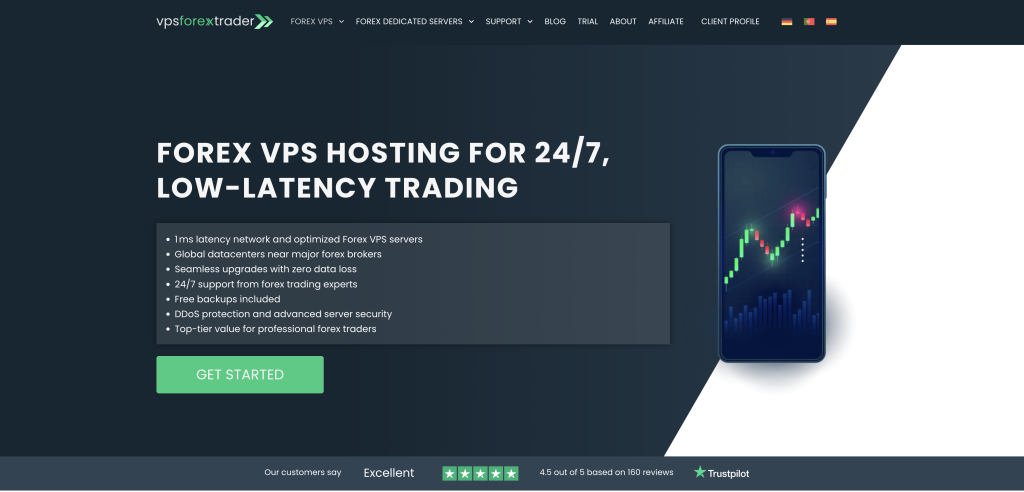
VPSForexTrader is the cleanest purpose-built option for algorithmic traders who want execution consistency and uptime without turning server management into a second job, and two things make it especially practical for bot traders. First, it explicitly positions its infrastructure around major financial hubs such as Equinix NY4 and LD4, which is exactly where many retail and institutional brokers host their trading servers; when your VPS sits in the same metro area as the broker, latency in the low single-digit millisecond range becomes realistic, though always conditional on correct location matching rather than a blanket guarantee. Second, it offers a real $0.99/3-day trial with clearly stated resources: AMD EPYC-class CPUs, 3 cores, 4 GB ECC RAM, 120 GB NVMe storage, 1 Gbps networking, and a Windows Server environment suitable for running multiple MT4 or MT5 terminals at once. That trial matters because you can test actual bot behavior, CPU stability over time, tick consistency, and execution delay before committing, which is the single most useful risk-reduction mechanism in this category and the specific reason it earns the top slot here rather than any latency figure, which like everyone else’s is vendor-stated.
The entry plan (Smart) provides 3 cores, 4 GB ECC RAM, and 120 GB NVMe at $31.99/month monthly or $25.59/month annual, and the Boost (6 cores, 6 GB) and Max (8 cores, 8 GB) tiers scale for multi-terminal stacks or heavier multi-symbol strategies. The ECC memory matters for a bot running unattended for weeks, since it corrects the single-bit faults that would otherwise corrupt in-memory state on a server nobody is watching, and the NVMe storage handles the disk I/O of tick history and logging. The platform is well suited to the most common algorithmic setups, MetaTrader EAs, multi-terminal stacks, and Windows-first workflows. There is no Linux option, so traders who need native Linux execution should run the Linux leg on a general cloud like Vultr or Contabo. Server locations cover New York (NY4), London (LD4), Amsterdam, and Hong Kong.
Limitations: The low single-digit millisecond latency described above is best-case and only holds when the VPS and broker are correctly matched in the same metro, so location selection still does the real work and the figure is not a blanket guarantee. The platform is Windows-only, which makes it a poor fit for a Linux-native custom bot; that workload belongs on a general cloud like Vultr or Contabo instead. The specific AMD EPYC model is not disclosed on the pricing pages, so single-core clock, the variable that matters most for non-parallel MetaTrader bots, cannot be independently assessed. MT4/MT5 require manual installation via RDP. And it is not the cheapest entry point here: Vultr starts near $6/month and Contabo near €7/month for raw resources, though neither is finance-hub-proximate.
Best for: traders who want a low-drama VPS explicitly designed for running MetaTrader bots 24/7 near NY4 or LD4 brokers, with a sub-dollar trial to validate latency and stability before committing, and who do not need a Linux-first environment or the absolute lowest price.
The Alternatives
ForexVPS.net: Best for Global Broker Matching
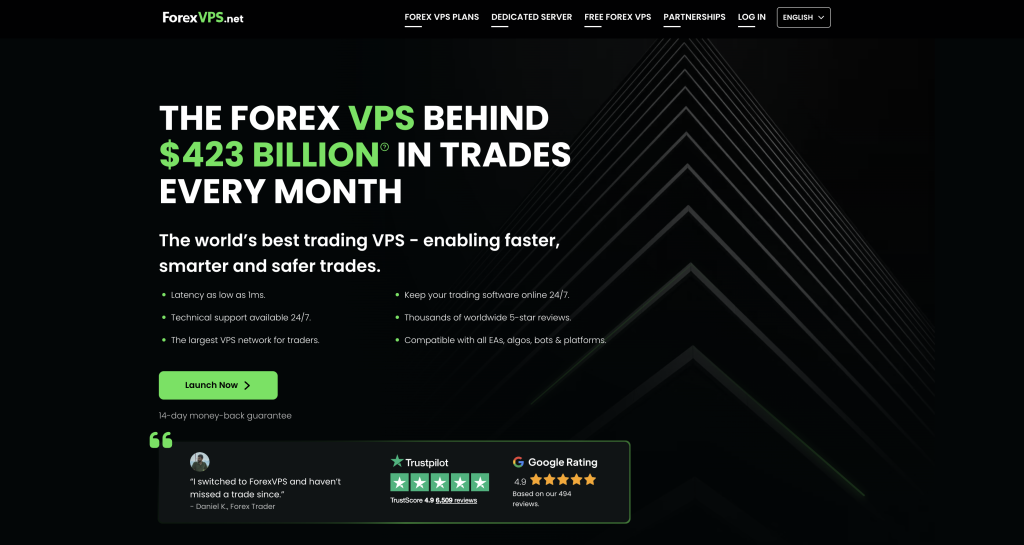
ForexVPS.net is the obvious choice when location flexibility is your top priority, because with more than 20 global locations it becomes easier to place a bot close to your broker even when the broker is not hosted in the standard New York or London hubs [2]. The operator is ThinkHuge Ltd, Hong Kong. The Core plan lists $40/month monthly (roughly $32 annual), with dual-core CPU, 4 GB RAM, and 100 GB SSD; this is not the cheapest option per resource, but the breadth of locations is the real value for a trader running bots across multiple brokers or regions. The 4 GB entry RAM is realistic for a standard bot deployment, and the location footprint is the widest among the trading specialists here.
Limitations: It is more expensive than the generic cloud VPS options here for equivalent raw resources. Coverage alone does not guarantee low latency, since placement still has to match the specific broker server. CPU architecture and RAM type are not specified as ECC on the public plan pages, which is a transparency gap relative to VPSForexTrader. And ForexVPS.net shares infrastructure with FXVM under the same parent (ThinkHuge Ltd), so running both for redundancy does not buy genuine fail-over.
Best for: traders running bots across multiple brokers or regions who need the widest possible location coverage to match a VPS to an unusual broker hub.
TradingFXVPS: Latency-Focused MetaTrader Hosting
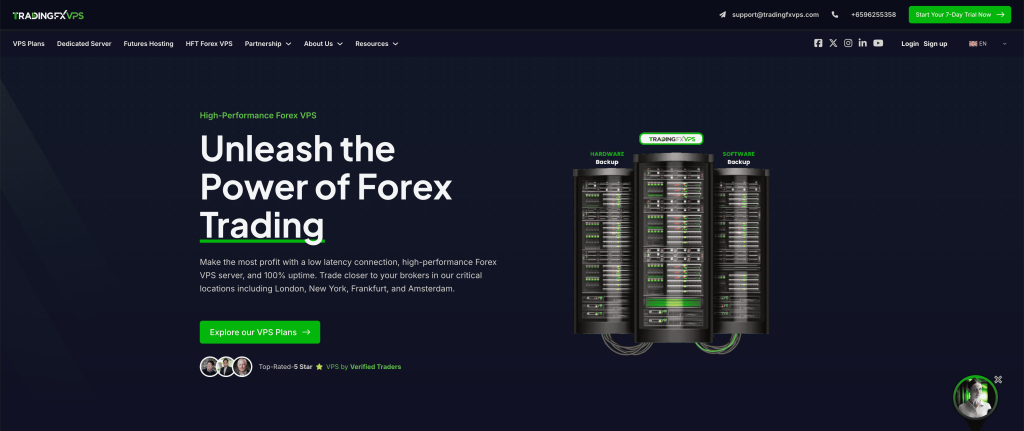
TradingFXVPS positions itself around finance-data-center colocation, MetaTrader support, and helping traders choose the correct VPS location relative to their broker, and it earns a place here because that positioning is clearly trading-specific rather than generic hosting with forex branding [3]. The provider markets NVMe storage and 24/7 support channels described as trading-aware, and publishes broker-specific latency figures that should be read as claims to verify live rather than guarantees. Plan specifications and terms vary across tiers, so confirm the exact CPU, RAM, and OS before purchase.
Limitations: Ultra-precise latency numbers and hardware benchmarks should be treated as vendor claims to be tested rather than relied upon, since they are self-measured by a commercially interested party. Plan specs and terms can vary across tiers, so they must be confirmed before purchase. As with several providers here, RAM type is not specified as ECC on the public plan pages.
Best for: latency-sensitive MetaTrader traders willing to test and tune, who want finance-data-center colocation and broker-location guidance and will validate the latency claims during a trial.
FXVM: Cheap Testing and Basic Always-On Bots
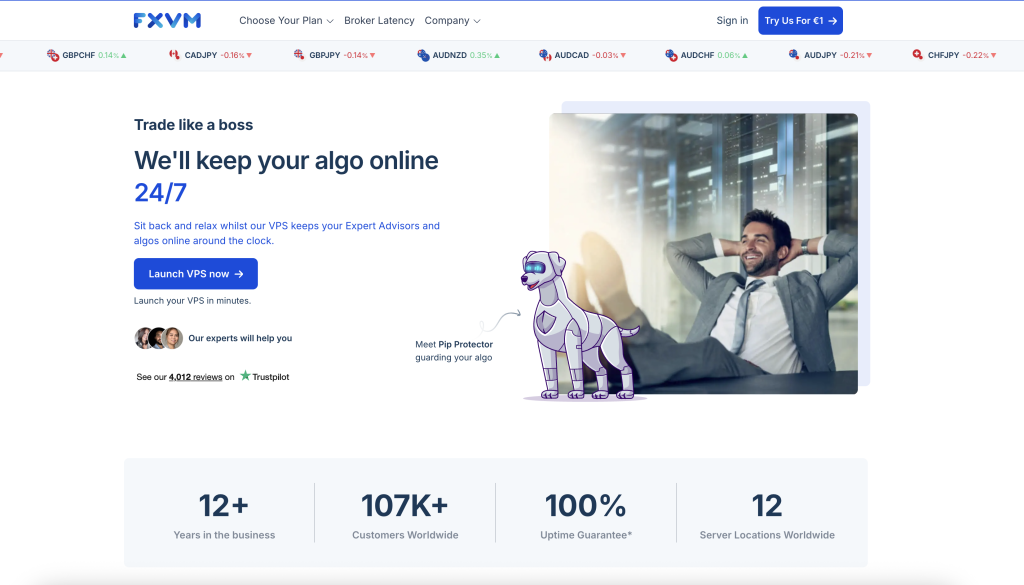
FXVM is included mainly because it offers a low-friction way to test VPS hosting cheaply, with trial availability widely referenced and a long-standing retail-trader footprint [4]. It works well for simple bot setups, one or two light bots, or validating whether VPS hosting improves outcomes at all, but resource limits become noticeable quickly as complexity grows. Multi-region availability depends on the plan. It is operated by ThinkHuge Ltd, the same parent as ForexVPS.net, on shared infrastructure.
Limitations: Do not assume the marketing latency claims are accurate without testing. The entry plans can be tight for multi-bot usage, since low-RAM tiers fall below the practical floor for running several terminals at once. And because FXVM shares infrastructure with ForexVPS.net under ThinkHuge Ltd, pairing the two for redundancy provides limited real protection against a parent-wide failure.
Best for: traders running one or two light bots, or validating whether VPS hosting improves their outcomes before committing to a more capable plan.
Vultr High Frequency Compute: Best DIY Option for Custom Bots
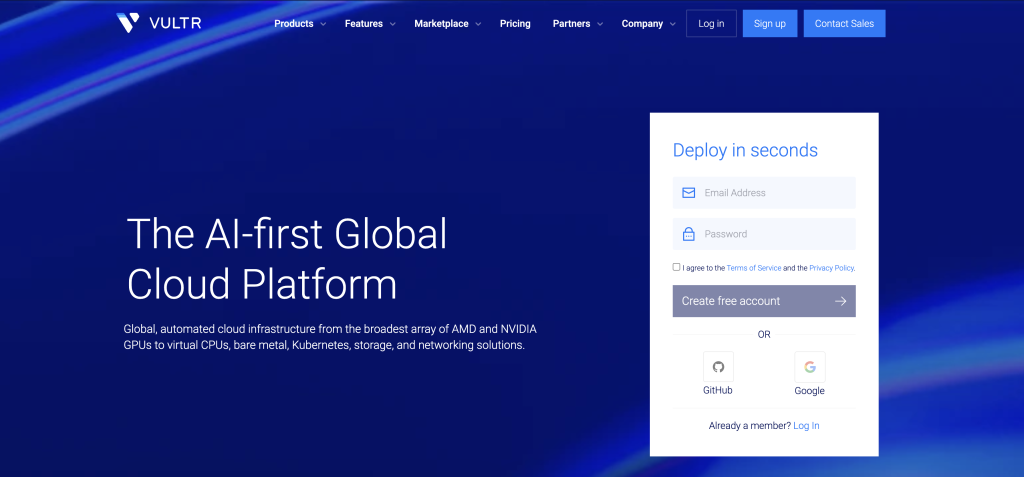
If your bot is a real application (Python, C++, Go, or a custom execution engine) rather than a MetaTrader EA, a cloud VPS with Linux is often the cleanest solution, and Vultr’s High Frequency Compute is explicitly positioned around 3-plus GHz CPU performance with local NVMe storage, which is attractive for single-thread-sensitive workloads and research stacks [5]. Pricing starts near $6/month, both Windows and Linux are available, and you get full control over the OS and environment, which suits custom bot stacks and scaling. For a trader whose strategy lives in code rather than in a terminal, this control is the point.
Limitations: There is no trading-specific management or broker tooling, so you are on your own for the trading-aware parts. You are responsible for setup, monitoring, and security, which is real ongoing work. And it is a general cloud platform, not finance-hub-proximate by design, so broker-server proximity is yours to verify rather than something the provider markets around.
Best for: technical traders running custom bots beyond MetaTrader who want Linux-first control and a high-clock single-thread VPS, and who are comfortable owning setup and security.
Contabo: Budget Compute for Heavy Workloads
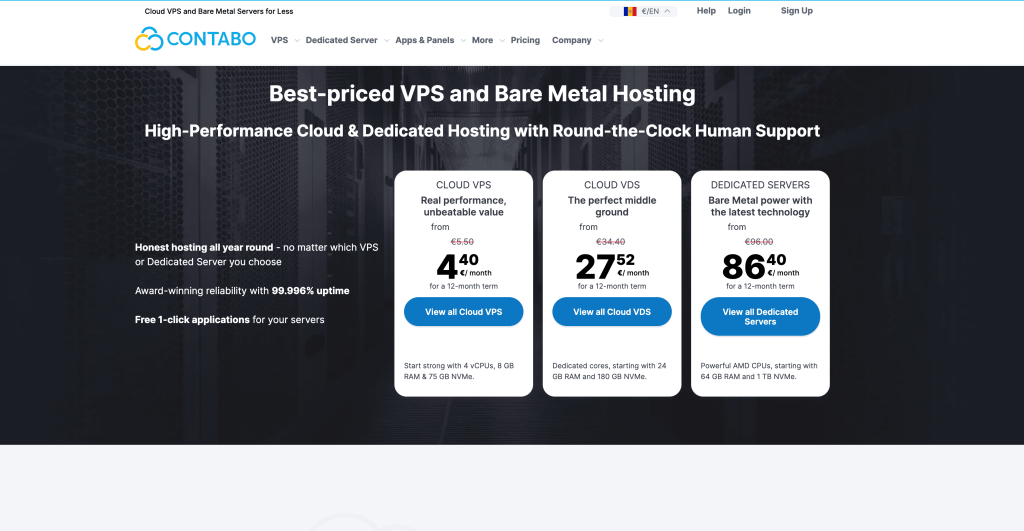
Contabo is best described as raw resources for the money, excellent for backtesting, data processing, and multi-service bot stacks where CPU and RAM matter more than shaving milliseconds [6]. The entry tier runs 6 vCPU and 12 GB RAM with 200 GB SSD (or 100 GB NVMe) from roughly €6 to €7/month, scaling up from there, and both Windows and Linux are available. For research, backtests, and heavy workloads, it delivers more compute per dollar than any trading specialist here.
Limitations: It is not designed around finance-hub proximity, so it is a poor fit for execution-critical live trading where the order has to reach the broker’s matching engine fast. It requires more DIY management than a purpose-built trading VPS. And broker-server proximity is not part of the product, so a Contabo instance is best kept for compute rather than for the live-execution leg of a strategy.
Best for: compute-heavy bots, backtesting, and research where raw CPU and RAM per dollar outweigh latency, ideally as the research machine rather than the live-execution server.
Beeks Financial Cloud: Premium Finance-Brand VPS
Beeks is a recognized finance-infrastructure provider, and its catalogue VPS offerings are distinct from its enterprise proximity products and should not be confused with them [7]. The operator is Beeks Financial Cloud Group plc (LSE: BKS), Scotland. The catalogue VPS tier provides a clear, premium-branded option for traders who want a finance-infrastructure vendor and are comfortable paying more, from roughly £31/month, with both Windows and Linux available. For a trader who values the finance-brand pedigree and the option to grow into the enterprise proximity and cross-connect products, this is the entry point.
Limitations: The catalogue VPS tier is overkill for many retail bot setups, where a purpose-built trading specialist delivers more usable value per dollar. It is important not to mix the catalogue VPS with Beeks’ enterprise proximity products when comparing price, since they are different products at very different price points. Pricing is in GBP, which introduces foreign-exchange variability for US buyers, and the catalogue retail pages disclose less hardware detail than the institutional side.
Best for: traders who value finance-brand infrastructure and a path toward institutional proximity products, and who accept premium pricing for the brand and the upgrade path.
MetaQuotes Virtual Hosting: The Integrated Budget Path
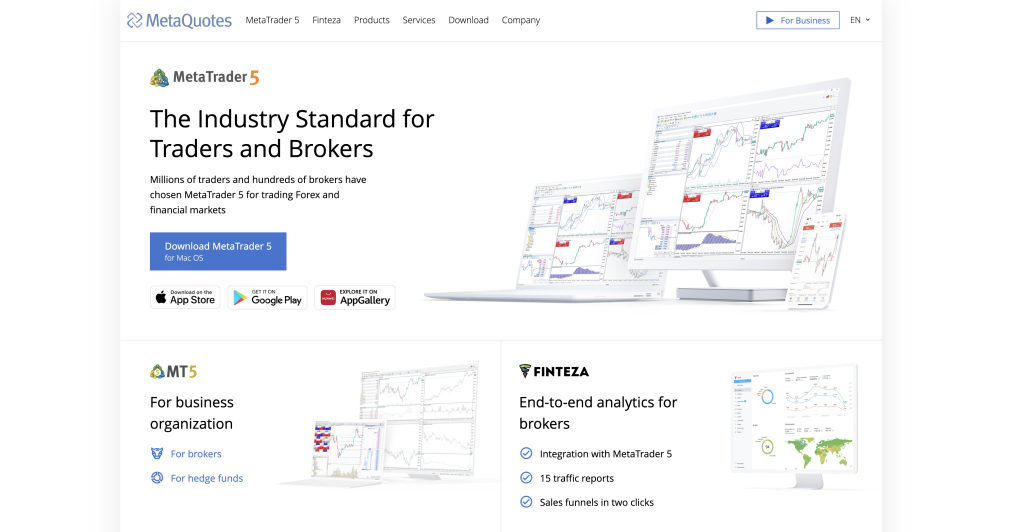
MetaQuotes Virtual Hosting is not a VPS in the traditional sense; it runs a headless MT5 instance on MetaQuotes’ own infrastructure, migrated from the local terminal in a few clicks, with no Windows desktop and no RDP [8]. For a pure-MQL5 bot with no DLL dependencies on one account, it is often the right answer and is cheaper than every third-party option here, at $15/month monthly or $12.80/month annual, and it co-locates directly with broker infrastructure while the migration wizard auto-selects the lowest-latency hosting point. One overlooked advantage: MQL5 Market products running on MetaQuotes Virtual Hosting do not consume activation slots, whereas installing a Market-purchased bot on a third-party VPS counts against the limited activation quota.
Limitations: The DLL ban is the hard boundary, and the migration itself fails if the bot imports any DLL, which eliminates Python sidecars, custom analytics libraries, Telegram notification bots, broker bridge tools, and any HTTP via wininet (MQL5’s native WebRequest is the substitute). Combined with one account per subscription, no file-system access, and no ability to run non-MT software alongside the terminal, it is architecturally incompatible with multi-tool bot stacks. And the binding terms make no guarantee of smooth operation despite marketing references to high uptime, with no formal SLA with credit terms.
Best for: traders running a single pure-MQL5 bot with no DLL imports on one account who want the lowest cost and likely the lowest latency to the broker’s MT5 server.
Full Specification Comparison
| Provider | Best use case | OS | Finance-hub positioning | Entry CPU / RAM | Storage | Trial / refund | From |
| VPSForexTrader | Trading bots (latency + stability) | Windows Server 2025 | NY4 / LD4 | 3 cores / 4 GB ECC | 120 GB NVMe | $0.99/3d; 14d | $25.59/mo |
| ForexVPS.net | Global broker matching | Windows | Trading VPS network | Dual-core / 4 GB | 100 GB SSD | 14-day money-back | ~$32/mo |
| TradingFXVPS | Latency-focused MT hosting | Windows | Colocated finance DCs | Plan-dependent | NVMe (marketed) | Varies; verify | Varies |
| FXVM | Cheap testing, light bots | Windows | Trading VPS | Plan-dependent | SSD (plan-dep.) | Trial referenced | Varies |
| Vultr High Freq. | DIY custom bots | Windows + Linux | General cloud | 3+ GHz vCPU | Local NVMe | No trading trial | ~$6/mo |
| Contabo | Heavy compute / backtest | Windows + Linux | General infra | e.g. 4 vCPU / 8 GB | 200 GB SSD | Standard policy | ~€7/mo |
| Beeks (catalogue) | Premium finance-brand VPS | Windows + Linux | Finance-infra brand | Plan-dependent | Plan-dependent | Enterprise onboard | ~£31/mo |
| MetaQuotes VH | Pure-MQL5 bot, no DLLs | Headless MT5 | Co-located w/ brokers | Shared / up to 3 GB | Up to 16 GB | 24-hr free | $12.80/mo |
All figures from the dossier; re-verify on each provider’s own pages before publishing. Latency figures are vendor-stated and have not been independently replicated.
What Actually Matters for an Algo-Trading VPS
Location beats specs
For algorithmic trading, physical proximity to your broker’s infrastructure almost always matters more than raw server power. A mid-tier VPS in the same metro area or data center region as your broker will usually outperform a much stronger server located far away, because round-trip time and routing stability directly affect how quickly orders reach the broker and confirmations return. Low, stable latency reduces timing variance in execution, which is critical for bots that react to fast market changes. The key is not chasing the fastest VPS but minimizing distance and network complexity between your bot and the broker, which is why the right first step is to confirm where your broker’s trading server actually sits (open MetaTrader, go to Tools, Options, Server, read the hostname, and ask the broker which data center it maps to) before choosing a VPS location at all.
CPU consistency beats core count, most of the time
Many trading bots, especially those running on MetaTrader, are not fully parallel; they lean heavily on single-core performance and CPU consistency rather than on having many cores available. A VPS with fewer but stable, non-throttling cores often performs better than one with many cores that fluctuate under load, and additional cores become useful mainly when you run multiple bots or multiple terminals in parallel. For most algo traders, predictable CPU behavior is more valuable than a headline core count, which is also why a provider that publishes a stable high single-core clock is more meaningful for a non-parallel bot than one advertising a large core count at an unstated speed. This is the genuine reason a high-clock desktop-class instance (such as Vultr’s High Frequency line) can outrun a many-core server for a single-threaded MetaTrader bot.
RAM is the silent killer
RAM is one of the most common hidden failure points in algorithmic setups, because bots do not operate in isolation: Windows itself, the trading platform, charts, indicators, historical data, logging, and any supporting services all consume memory, and as you add terminals or complexity, usage grows faster than expected. When memory runs low, platforms freeze, lag, or crash without obvious warnings, and the degradation is gradual enough that it often goes unnoticed until a volatility spike pushes the machine into swap and a bot misses an entry or exit. Sizing RAM conservatively is one of the simplest ways to improve long-term stability, which is why a 4 GB entry tier (as on VPSForexTrader Smart or ForexVPS.net Core) is a more honest floor for a real multi-component bot than the 1.5 to 2 GB tiers some providers lead with.
Uptime is a strategy input, and you need a recovery plan
If your VPS goes offline, your strategy effectively stops executing, and that is not just a technical issue but a direct performance and risk impact: even short outages can mean missed entries, unmanaged positions, or desynchronized logic. Uptime should therefore be treated as a core strategy variable, not a background concern, and providers that let you realistically test uptime, behavior under load, and maintenance patterns via trials or refunds are safer choices than those relying on marketing claims alone. No VPS is immune to failures, updates, or unexpected issues, so a recovery plan turns a potential disaster into a minor inconvenience: regular backups of bot code, platform installations, configuration files, and logs allow a fast restore, and a fast-restore option or a secondary standby VPS (ideally with a genuinely independent operator rather than two brands under one parent) can be far cheaper than a prolonged outage during volatile conditions. Recovery planning is not exciting, but it is a core part of professional algorithmic trading.
Windows versus Linux is a workflow decision, not a quality one
The operating system should match how your bots are built rather than which one is “better.” MT4 and MT5 are tightly coupled to Windows, which makes a Windows VPS the practical choice for MetaTrader-based automation, while custom bots written in Python, C++, or other languages often run more cleanly and efficiently on Linux. If your workflow includes both, planning for separate environments or a hybrid setup avoids the compromises that hurt stability or performance, which is exactly why this guide separates the MetaTrader specialists (VPSForexTrader, ForexVPS.net, TradingFXVPS, FXVM) from the Linux-friendly general clouds (Vultr, Contabo) rather than ranking them on one axis.
Mistakes That Cost Bot Traders Money
Choosing a VPS by specs without matching the location to your broker. A 16-core server on the wrong continent loses to a modest VPS in your broker’s data center, because the trans-continental round-trip is fixed by physics and no CPU power compensates for it. Confirm the broker’s trading-server data center first, then choose a VPS location to match, then size the plan. Doing it in any other order is the most common and most expensive VPS regret in algorithmic trading.
Sizing CPU by core count for a non-parallel bot. A multi-symbol MetaTrader bot scanning many pairs often runs in a single thread, so adding cores does nothing for it while a higher per-core clock does. Buy cores when you genuinely run multiple bots or terminals in parallel; otherwise prioritize a stable, high single-core clock, and treat a provider that will not publish its CPU model as a real information gap.
Under-sizing RAM because the entry price looks attractive. Windows plus a trading platform plus charts, indicators, history, and logging consumes more than traders expect, and a 1.5 to 2 GB tier that looks fine at launch degrades quietly as complexity grows until a news spike forces swap and the bot misses a fill. Four gigabytes is a sensible floor for a real bot, and the price difference to reach it is trivial against a single missed exit during volatility.
Treating two brands under one parent as redundancy. ForexVPS.net and FXVM are both operated by ThinkHuge Ltd on shared infrastructure, so running a primary bot on one and a backup on the other does not protect against a parent-wide failure. Genuine fail-over needs two genuinely independent operators, for example a MetaTrader specialist plus a separate general cloud.
Trusting marketing latency numbers without live testing. “Around 1 ms” describes a best-case same-facility pairing and says nothing about the latency to your specific broker from your specific location, which is exactly why trials and refund windows exist. Use VPSForexTrader’s $0.99/3-day trial, FXVM’s referenced trial, or MetaQuotes’ 24-hour free trial to measure real round-trip time to your broker before committing to annual billing.
Running a Linux-native bot on a Windows-first VPS, or vice versa. Forcing a Python or C++ execution engine onto a Windows trading VPS, or trying to run MT4/MT5 cleanly on Linux via a compatibility layer, both create avoidable instability. Match the OS to the bot: a Windows trading specialist for MetaTrader EAs, a Linux general cloud (Vultr, Contabo) for custom code, and a planned hybrid if you run both.
Quick Decision Guide
For traders running MetaTrader EAs or multi-terminal stacks against brokers in NY4 or LD4 who want the best balance of finance-hub proximity, clear specs, and easy validation, the route is VPSForexTrader’s Smart plan at $25.59/month annual (3 cores, 4 GB ECC, 120 GB NVMe), using the $0.99/3-day trial to measure real broker ping and bot stability before committing, and stepping up to Boost or Max for heavier multi-terminal stacks.
For traders running bots across multiple brokers or regions where broker matching is the priority, the route is ForexVPS.net at more than 20 locations, accepting the higher per-resource price and the ThinkHuge shared-infrastructure caveat if you also use FXVM.
For latency-sensitive MetaTrader traders willing to test and tune, the route is TradingFXVPS for its finance-data-center colocation and broker-location guidance, validating the published latency figures during a trial rather than trusting them outright.
For traders running one or two light bots or just testing whether a VPS helps, the route is FXVM as the low-cost entry point, with the understanding that the entry tiers get tight quickly as complexity grows.
For technical traders running a custom Python, C++, or Go bot who want Linux-first control and high single-thread performance, the route is Vultr High Frequency Compute from roughly $6/month, accepting that you own setup, monitoring, and security and that broker proximity is yours to verify.
For compute-heavy work, backtesting, and research where raw CPU and RAM per dollar outweigh latency, the route is Contabo from roughly €7/month, ideally as the research machine rather than the live-execution server, since it is not finance-hub-proximate.
For a pure-MQL5 bot with no DLL imports on one account, the route is MetaQuotes Virtual Hosting at $12.80/month annual, which co-locates with broker infrastructure and auto-selects the lowest-latency hosting point; the moment the bot needs a DLL, a Python sidecar, or any non-MT software, a third-party VPS like VPSForexTrader is the necessary path.
Questions Bot Traders Actually Ask
Does my VPS need Windows or Linux for trading bots?
It depends entirely on how the bot is built, not on which OS is better. MT4 and MT5 are tightly coupled to Windows, so a Windows VPS (VPSForexTrader, ForexVPS.net, TradingFXVPS, FXVM) is the practical choice for any MetaTrader EA. Custom bots written in Python, C++, or Go usually run more cleanly on Linux, where a general cloud like Vultr or Contabo fits better. If you run both, plan for separate environments or a hybrid rather than forcing one bot onto the wrong OS, because running MT5 on Linux through a compatibility layer, or a Python engine on a Windows trading VPS, introduces avoidable instability. VPSForexTrader is Windows-only, so a hybrid Windows-plus-Linux workflow needs a separate Linux host (Vultr or Contabo) alongside it.
How much RAM does a multi-bot stack actually need?
More than the entry price suggests, because the bot is the smallest part of the footprint. Windows itself takes a baseline before anything launches, then each trading terminal, its charts, indicators, history, and logging stack on top, and a second or third terminal multiplies that. A single light bot can run on 2 GB, but a real multi-component or multi-terminal stack needs 4 GB as a sensible floor and 6 to 8 GB once you add several terminals or heavier indicator loads, which is why VPSForexTrader Boost (6 GB) or Max (8 GB) and ForexVPS.net Edge or Prime exist. The failure mode when RAM runs short is not a clean error; it is gradual lag and missed fills that only become visible during a volatility spike, so size conservatively rather than to the minimum that launches.
Can I run a Python or API-based bot on a forex VPS?
Yes, on any full-RDP Windows VPS or a Linux instance, but the cleaner path depends on the bot. A Python or API-driven execution engine generally runs best on a Linux general cloud (Vultr’s high-clock instances suit single-thread-sensitive logic) where you control the full environment. If the Python component talks to MetaTrader, a common pattern is to run the Python side on a Linux VPS and connect to an MT5 terminal via API rather than forcing both onto one machine. What you cannot do is run a DLL-dependent or Python-sidecar bot on MetaQuotes Virtual Hosting, which bans all external libraries, so any custom-code component pushes you to a full-control VPS.
What happens to my bot if the VPS reboots for maintenance?
The bot stops until the platform restarts, and any positions it was actively managing sit unmanaged in the meantime, which is why uptime is a strategy input rather than a background concern. A trading terminal does not automatically relaunch after a reboot unless you configure it to, so set MetaTrader to auto-start (via Windows Task Scheduler or the platform’s own option), prefer a provider that does not reboot during market hours for maintenance, and keep current backups of bot code, platform installs, and configuration for a fast restore. For execution-critical strategies, a secondary standby VPS with a genuinely independent operator is cheaper than a single prolonged outage during volatile conditions.
Is the cheapest VPS ever the right choice for a live bot?
Sometimes, but only after location and resources are right. A $6 Vultr instance or a €7 Contabo box delivers excellent raw value and is a fine home for backtesting, research, or a custom Linux bot, but neither is finance-hub-proximate, so for the live-execution leg of a latency-sensitive strategy a correctly placed trading specialist will outperform a cheaper, distant box every session. Price determines how much CPU and RAM you get; location determines how fast orders reach the matching engine. Solve location first, size the plan to the workload second, and let price decide only between options that already clear both bars.
How do I actually validate a VPS before committing to a year?
Use a trial or a short billing cycle to test the three things marketing cannot prove: real round-trip time to your specific broker’s trading server, CPU stability over a multi-day run, and behavior during a high-volatility session rather than a quiet one. VPSForexTrader’s $0.99/3-day trial, FXVM’s referenced trial, and MetaQuotes’ 24-hour free trial all give live access; during the window, run the bot against your live broker, watch execution delay in the journal during a scheduled news event, and confirm the machine does not reboot or throttle under sustained load. Only commit to annual billing, which locks in a 15 to 40% discount but also locks you in, once location, specs, and stability are all confirmed.
References
[1] VPSForexTrader. “Forex VPS Hosting.” vpsforextrader.com. Plans, pricing, AMD EPYC/ECC/NVMe specifications, NY4/LD4 positioning, $0.99 trial.
[2] ForexVPS.net. “Forex VPS Hosting.” forexvps.net. Core plan specifications, 20-plus location footprint, and pricing to be re-verified at publication.
[3] TradingFXVPS. “Forex VPS Hosting Plans.” tradingfxvps.com. Finance-data-center positioning, plan specifications, and latency claims (vendor-stated) to be re-verified at publication.
[4] FXVM. “Best Forex VPS Near-Zero Low Latency Servers.” fxvm.net. Trial availability, multi-region plans, and shared-parent status with ForexVPS.net to be re-verified at publication.
[5] Vultr. “High Frequency Compute.” vultr.com/products/high-frequency-compute/. 3-plus GHz vCPU instances, local NVMe, Linux and Windows availability, and pricing to be re-verified at publication.
[6] Contabo. “Cloud VPS.” contabo.com. Entry tier (4 vCPU / 8 GB / 200 GB SSD), higher tiers, Linux and Windows availability, and pricing to be re-verified at publication.
[7] Beeks Financial Cloud. “VPS Catalogue.” beeksfinancialcloud.com/catalogue/category/vps_1; LSE listing (ticker BKS). Catalogue VPS pricing, distinct from enterprise proximity products, to be re-verified at publication.
[8] MetaQuotes. “Virtual Hosting for MetaTrader.” mql5.com/en/vps and mql5.com/en/vps/forex-plans. Pricing ($15 monthly, $12.80 annual), 24-hour trial, DLL prohibition, and Market-product activation-slot exemption to be re-verified at publication.
[9] Broker infrastructure documentation: IC Markets, Pepperstone, OANDA, FP Markets, and others’ primary sites. Source for broker trading-server facility confirmations (Equinix NY4, LD4, and others). To be re-verified at publication.
[10] Myfxbook. “Best Forex VPS Services of 2026.” myfxbook.com/reviews/vps-services. Third-party review aggregator; treat as commercially interested. To be re-verified at publication.
About This Review
This review was researched and written by the VPSforFX editorial team. The evaluation criteria, solution selection, and conclusions are the team’s own. A disclosure applies: ForexVPS.net and FXVM are both operated by ThinkHuge Ltd (Hong Kong) on shared infrastructure, which is why pairing them does not provide genuine redundancy, and this is disclosed in the relevant sections because it materially affects recovery planning. We have stated this so you do not have to take the ranking on trust; every figure above is sourced to the provider’s own page for independent verification.
Latency figures referenced throughout are contextual expectations rather than guarantees, because actual results depend on matching the VPS location to the broker’s trading server and prevailing network conditions; values such as “around 1 ms” represent best-case same-facility or same-metro pairings, are vendor-measured, and have not been independently replicated. All hardware specifications, pricing, plan details, and location claims are based on publicly available vendor documentation and must be re-confirmed directly with the provider before purchasing, since pricing and availability change. This guide evaluates VPS infrastructure for running algorithmic trading bots and is not financial advice. A VPS can reduce network-layer latency between your bot and your broker’s execution infrastructure and improve uptime; it cannot guarantee execution quality, improve a strategy’s underlying logic, or eliminate broker-side processing delays. Trading outcomes depend on market conditions, broker execution models, liquidity, and strategy design, none of which are within VPS scope. Where readers identify factual errors, the article will be updated and the change log below will document the correction.